功能說明
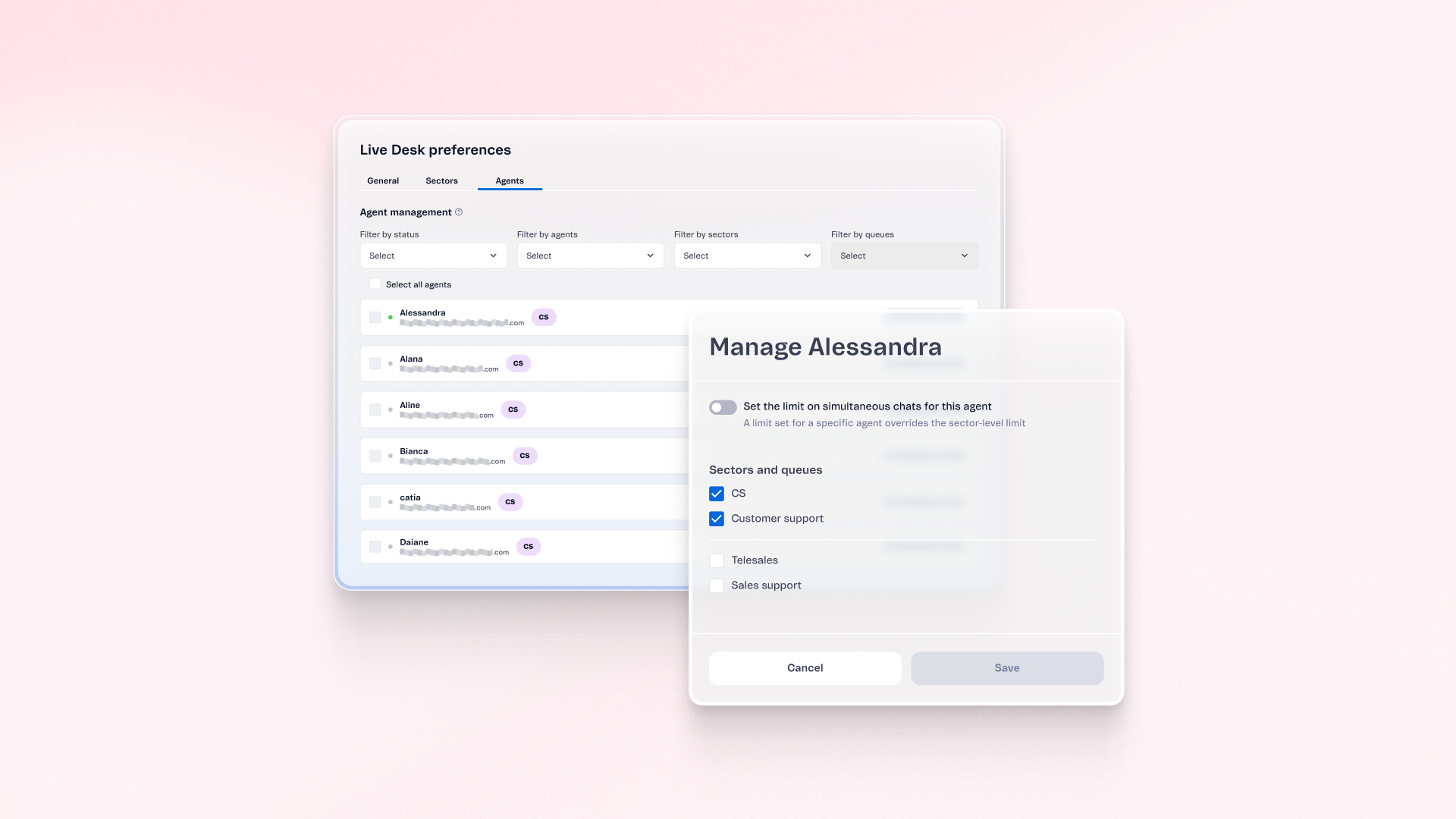
Support managers can now manage representatives, their departments, queues, and conversation limits from a single view in Live Desk. Update assignments for one or multiple representatives at once, and set individual limits when department settings don't fit. Changes take effect immediately after saving and don't affect active conversations.
優點
- One place to manage representatives: Review and update assignments without configuring each department or queue separately
- Faster staffing changes: Reallocate representatives individually or in bulk as demand changes
- Flexible capacity: Set individual conversation limits when department-level settings don't fit
- Quick search: Filter representatives by name, status, department, or queue
使用方式
In Live Desk, open the centralized human support view to review representatives and their assignments. Filter by name, status, department, or queue. Update assignments individually or in bulk, and set individual conversation limits if needed. Individual limits override department-level settings. When no individual limit is defined, the department-level limit applies. Changes take effect immediately after saving but don't affect active conversations. This feature isn't available for unified customer service organizations.